Turn data across your CRM, ERP and channels into operational workflows
EzFlows orchestrates the processes that cross your systems: transform data, apply rules, trigger email or WhatsApp, update pipelines and monitor every execution — without replacing your CRM.
Works alongside HubSpot, RD Station, Salesforce, n8n, Make and your internal systems.
Your CRM is part of the process —
not always the whole process.
A lead enters through a form. Data comes from an ERP. A rule determines the next step. WhatsApp or email needs to be sent. Another team needs to act. The CRM must be updated. When this logic is spread across CRM automations, scripts, integration tools and spreadsheets, the process becomes hard to operate and harder to diagnose.
-> EzFlows makes this one observable, versioned process.
Where EzFlows sits
Not another CRM. Not another generic automation tool.
Your CRM
Stores customer and commercial data, and stays the system of record.
Make, Zapier and n8n
Connect applications and execute generic automation between them.
EzFlows
Operates the customer-facing process across systems, channels, rules and teams — with state, execution history and visibility.
From a connected system to a live process in minutes
Self-service from end to end — and readable enough that the team running the process can maintain it, not only the person who built it.
Connect your systems
Trigger from an inbound webhook, an HTTP call, a form or a schedule, and read data from the systems involved.
Shape data and rules
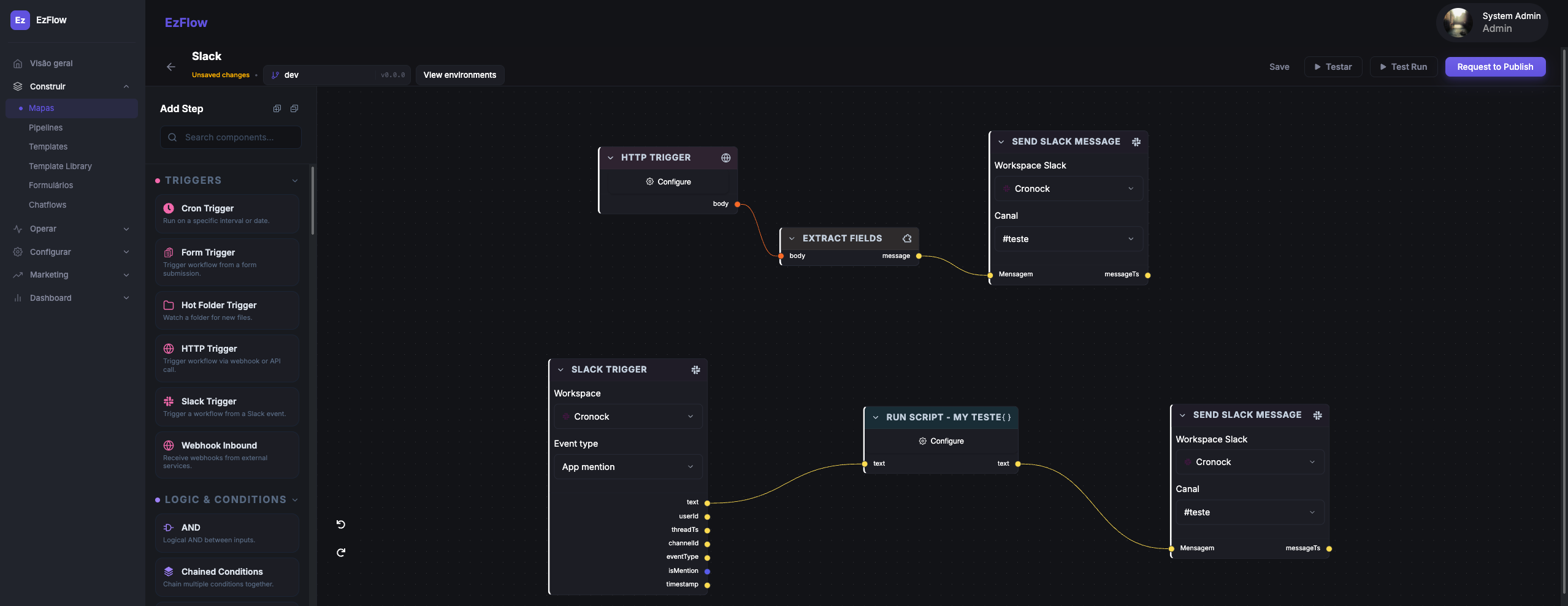
Extract fields, transform payloads and branch on CRM status, ERP data or any value in the payload.
Test before publish
Run a flow in the sandbox and watch the result in the timeline.
Publish & monitor
Approve the change, deploy to main, and track every run and failure.
Connect systems and transform data
Trigger from a webhook or HTTP call, read from your CRM or ERP, map fields and reshape payloads before anything is sent.
See orchestrationCommunication inside the process
Send email or WhatsApp from the same flow that applies the rules and updates the systems — not from a separate tool.
See channelsMonitor and govern every execution
Run timelines, per-action payloads, branches, reviews and environments. Every change and every failure has a trail.
See observabilityDocs & notes
A docs workspace built in: block editor with a slash menu, nested pages and ⌘K search. Write playbooks next to the flows they describe.
See docsProcesses people actually run
Operational patterns that cross the CRM, the ERP and the customer.
ERP data your CRM can only display
Receive an ERP event, transform the payload, apply business rules and write it back as something you can act on — not another read-only field.
Billing and collections
Read invoice status, trigger reminders, update a pipeline and stop communication when payment arrives.
Customer onboarding
Collect data, validate information, create internal tasks, send communications and wait for external events.
Service operations
Route requests, assign ownership, notify customers and track every execution across systems.
Cross-channel follow-up
Decide the next message based on CRM status, ERP data, customer interaction and workflow state.
Document delivery
Webhook -> fill template -> generate PDF -> send by email/WhatsApp -> record delivery.
Visual for the team, programmable for you
Trigger any flow over HTTP, receive inbound webhooks, and read structured payloads and outputs for every action. EzFlows sits between your systems and your channels — no glue code per client.
# fire a flow from your own system
curl -X POST https://api.ezflows.io/v1/flows/billing_reminder/run \
  -H "Authorization: Bearer $EZFLOWS_TOKEN" \
  -d '{ "invoice": { "id": "INV-204", "value": "R$ 480,00" } }'
Stop running the process across five tools
Connect a system, apply your rules, and run your first process today. Free to start.