Connect the systems involved in the process
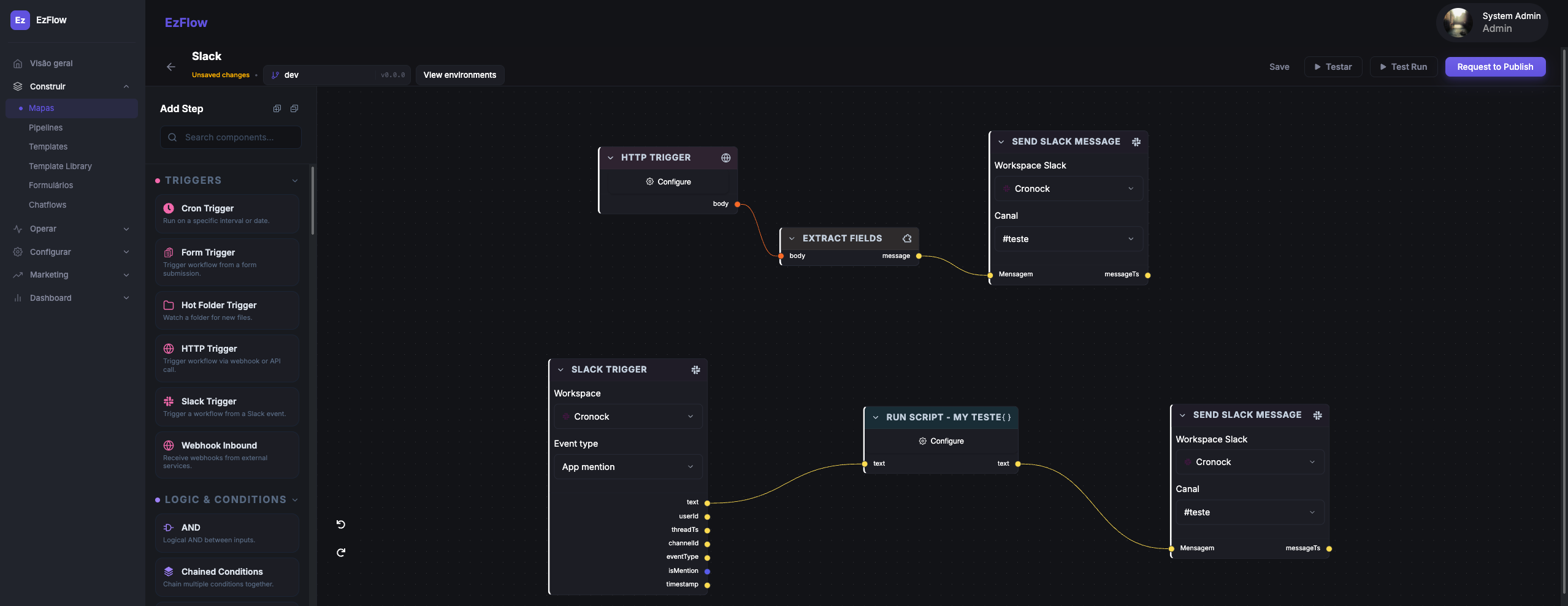
Trigger workflows from a CRM, ERP, form, webhook or internal application. Call external APIs, transform payloads and send structured data to the next system — EzFlows sits between them instead of replacing any of them.
HTTP triggers & inbound webhooks
Start a workflow from a CRM, ERP, form or internal application — every flow has its own endpoint.
External API requests
Call any HTTP API mid-flow, with auth, headers, params and a typed response you can branch on.
Field extraction & mapping
Pull fields out of an incoming payload and map them into the shape the next system expects.
JavaScript transformations
Run a script step when mapping is not enough — merge, decompose, loop and reshape data.
Workflow state
Carry values between steps and keep the data a long-running process needs while it waits.
Structured inputs & outputs
Every action exposes its payload and result, so the next step reads data instead of guessing.
Turn incoming data into operational decisions
Route each execution based on customer data, ERP status, previous actions or any field in the payload. The same flow that runs in production is the one you can read at a glance — no hidden glue code between tools.
- Conditions and branchingSimple conditions, chained conditions and AND/OR/NOT/XOR logic on any payload field.
- Delays and wait-for-eventHold a process until a deadline passes or an external event arrives.
- Idempotent actionsContact, list and segment steps stay safe when a run is replayed.
- 30+ step types on one canvasTriggers, transformations, loops, run-script, HTTP and channel actions.
Use communication as part of the process
Send email or WhatsApp from the same workflow that reads data, applies rules and updates systems — and generate documents like PDFs and invoices along the way. EzFlows is the orchestration layer; you connect your own provider.
- Bring your own providerWhatsApp through Twilio, the Meta Cloud API or a generic webhook endpoint; email through SMTP, SES, SendGrid, Mailgun or Postmark.
- WhatsApp managed inside the workflowTemplates, sends and delivery events sit next to the rules that trigger them, instead of in a separate provider console.
- Templates and dynamic variablesFill messages and documents with contact, payload and workspace values.
- Delivery and interaction eventsPer-message status flows back into the run timeline.
SMS support is being expanded.
Build it once, reuse it across every client
Save flows and messages as reusable templates with dynamic variables. New clients start from a proven flow instead of a blank canvas — and a fix in the template can roll out everywhere, not copy-pasted ten times.
- Dynamic variablesInject contact, payload and workspace values with {{ }} tokens.
- Template libraryFollow-up, billing, scheduling, re-activation and document flows, ready to clone.
- Duplicate to a workspaceSpin up a flow for a new client in one action.
Can I send you a proposal for {{deal.value}}? Reply YES and I'll send it right away.
A built-in docs workspace for everything around your flows
Write playbooks, onboarding guides and client handbooks right next to the automation they describe. A block editor with a slash menu, nested pages and instant search — no separate tool to keep in sync.
- Block editor with a slash menuType / for headings, lists, to-dos, code blocks and callouts.
- Nested pages & workspacesOrganize handbooks, guides and API references in a collapsible tree.
- Instant searchJump to any page with ⌘K — your docs live where the flows do.
Keep the state the process needs to run
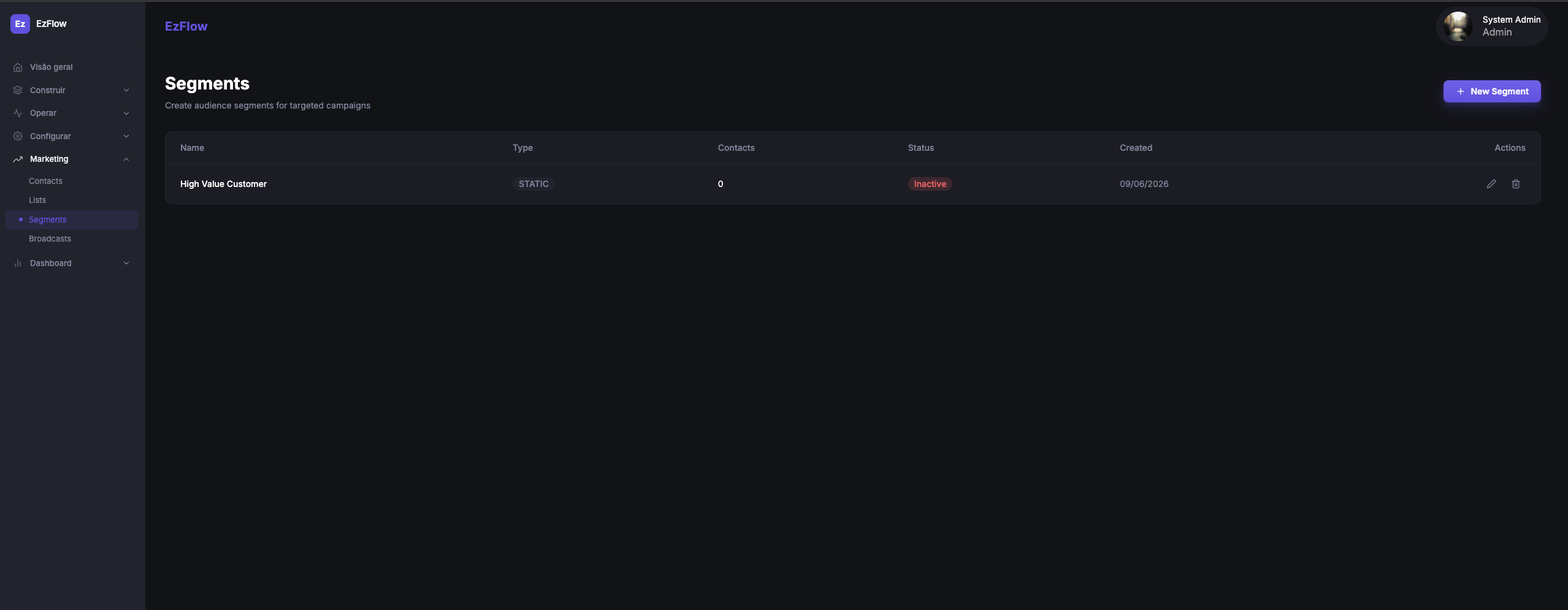
A process needs somewhere to hold its state: who the contact is, what was already sent, which group they belong to, and what happens next. EzFlows keeps contacts with custom properties and an activity timeline, groups them into lists and static or dynamic segments, and sends broadcasts through a guided creator — details, content, audience and review.
Contacts, lists, segments, pipelines and forms are optional operational components, for the parts of the process your CRM doesn’t model. Your existing CRM can remain the system of record.
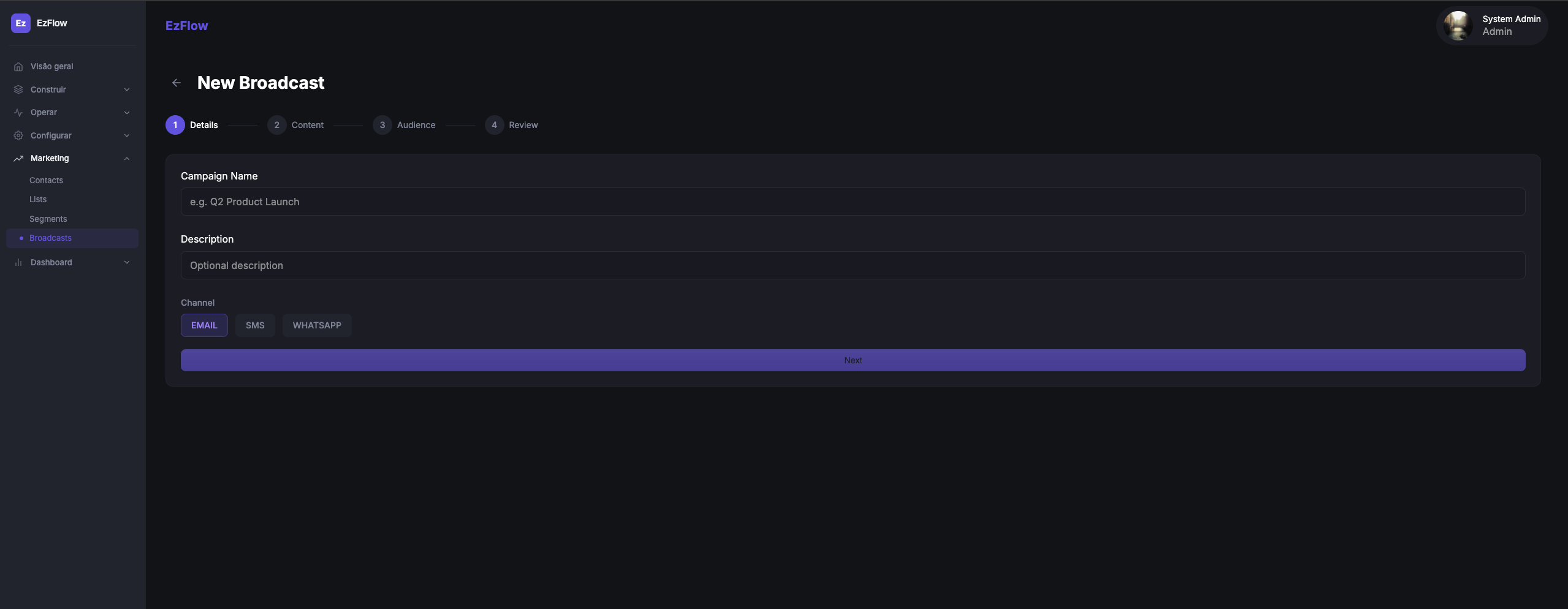
Email broadcasts are live today · SMS and WhatsApp are rolling out.
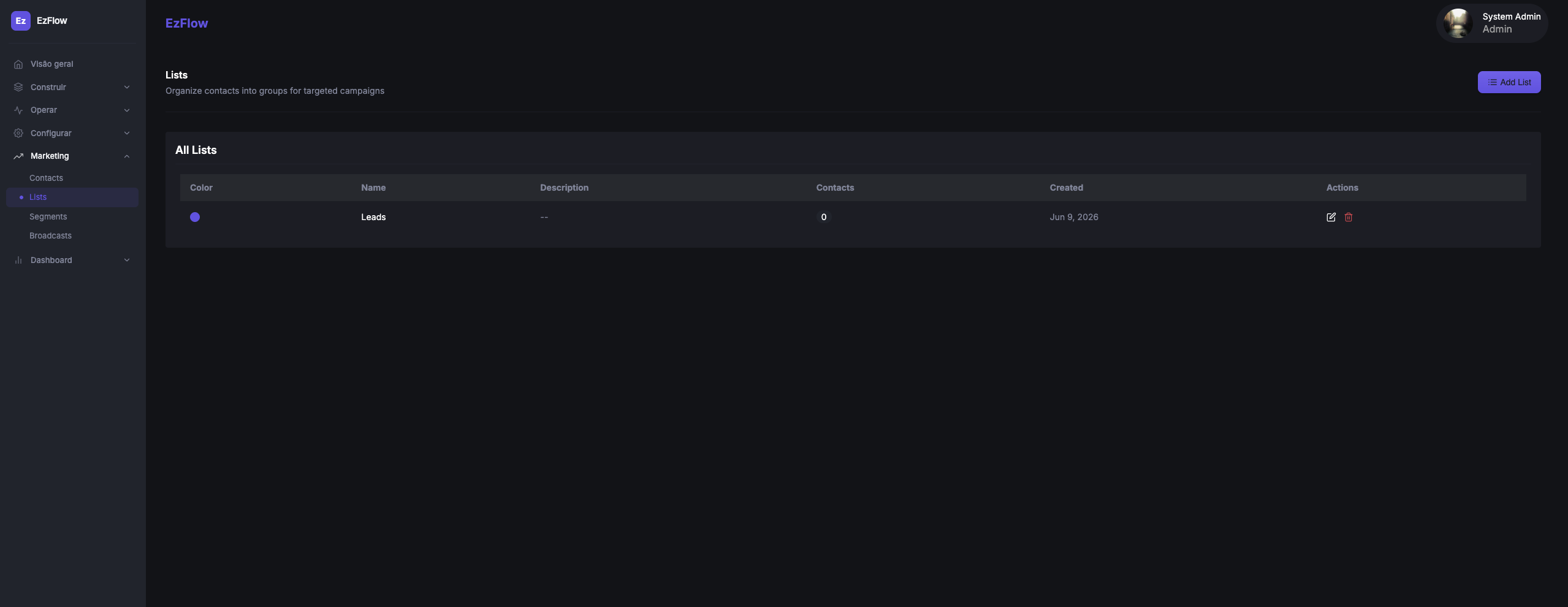
Contact database
Email, phone, custom properties, engagement timestamps and an activity timeline.
Static & dynamic segments
Explicit memberships, or criteria built from contact properties with AND/OR logic.
Suppression & compliance
Unsubscribe handling and eligibility filters that skip suppressed contacts.
Track work on a board and capture it with forms
Beyond flows and broadcasts, EzFlows gives you Kanban-style pipelines — drag cards across stages, assign owners, and back every board with a form you design by drag-and-drop. Your flows create, move and update cards automatically, so the board stays in sync with your automation.
- Kanban boards with stagesColumns for each stage, cards you drag between them, and assignees on every card.
- Drag-and-drop form builderTen field types — text, select, date, checkbox and more — arranged on a canvas with a live inspector.
- Flows keep the board in syncCreate, move, update or delete cards from any flow, so submissions and automations land on the right stage.
Audience actions, native to the canvas
The builder has a Marketing node category, so a flow can manage your audience and respect compliance inline — create or update a contact, route it into a segment or list, check suppression before sending, unsubscribe, or log an activity. Membership actions are idempotent, so reruns stay safe.
See it in the builderKnow exactly what ran, when, and why it failed
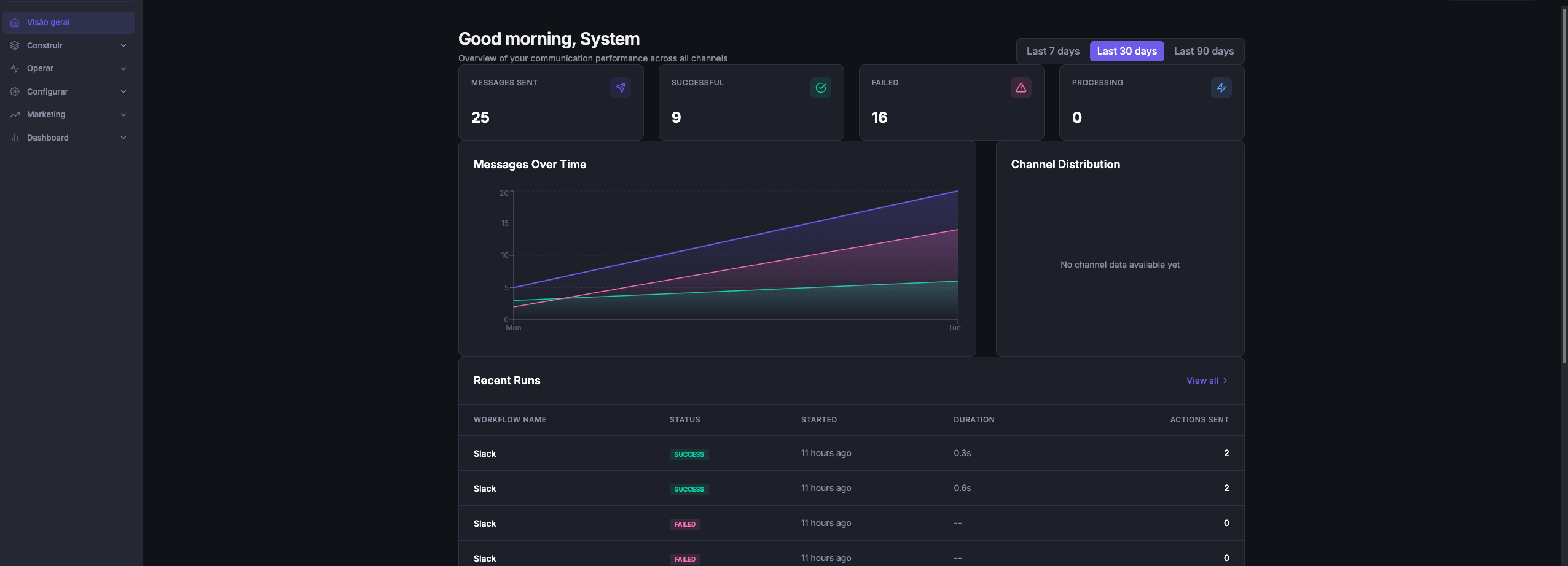
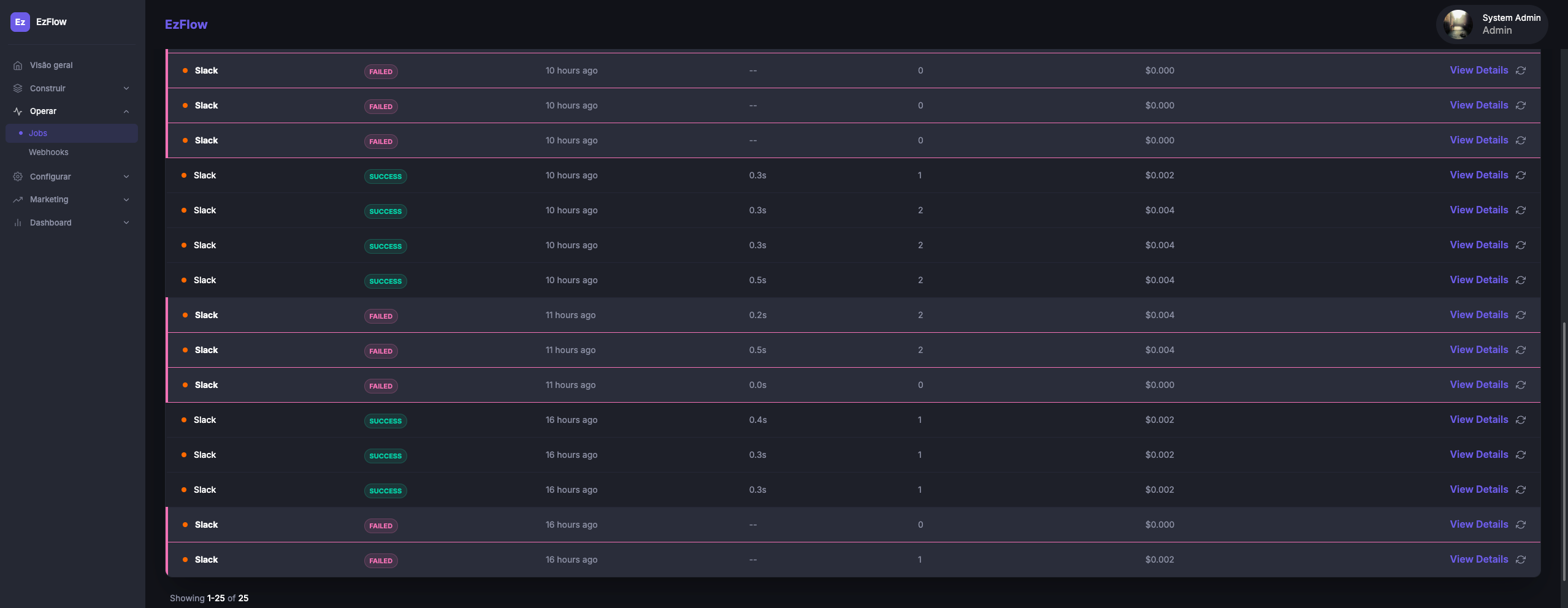
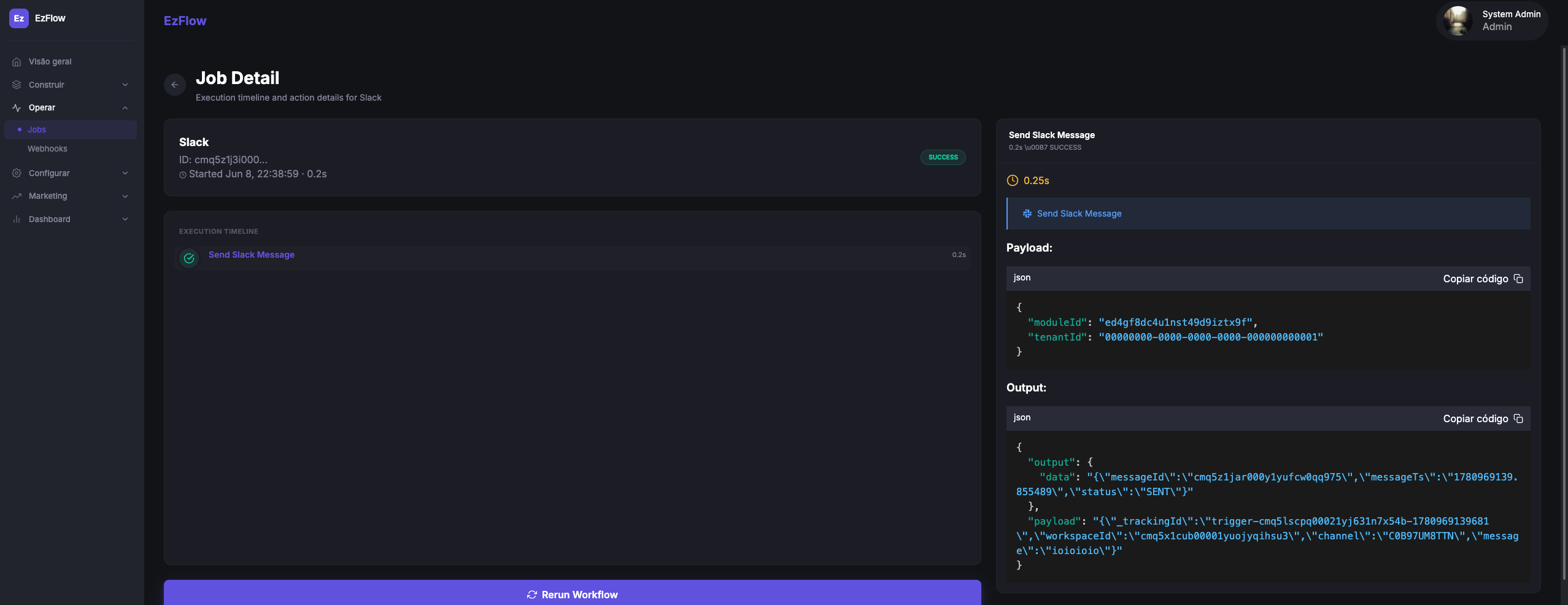
Automation without logs is a black box. EzFlows gives you a run-level timeline, per-action payloads and a dashboard across every channel — so failures are visible and debuggable, not mysterious. Follow the process across external calls, CRM updates, messages and internal actions from one timeline.
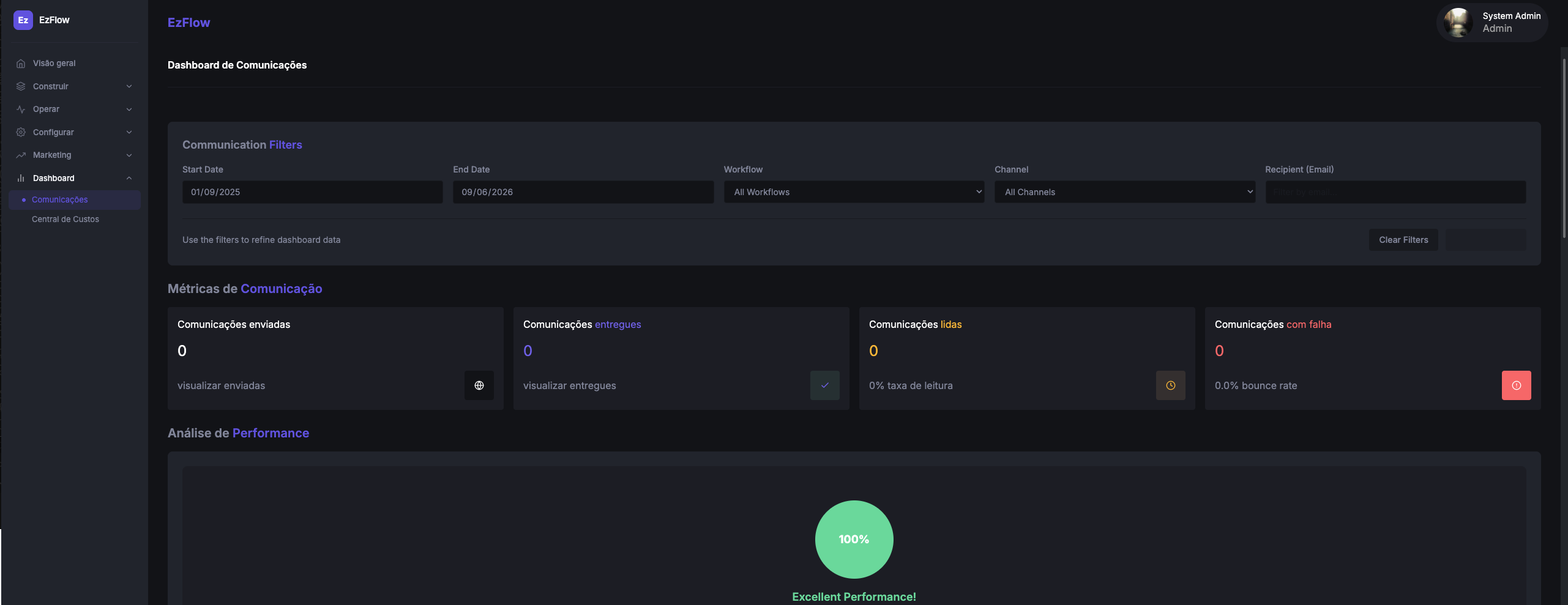
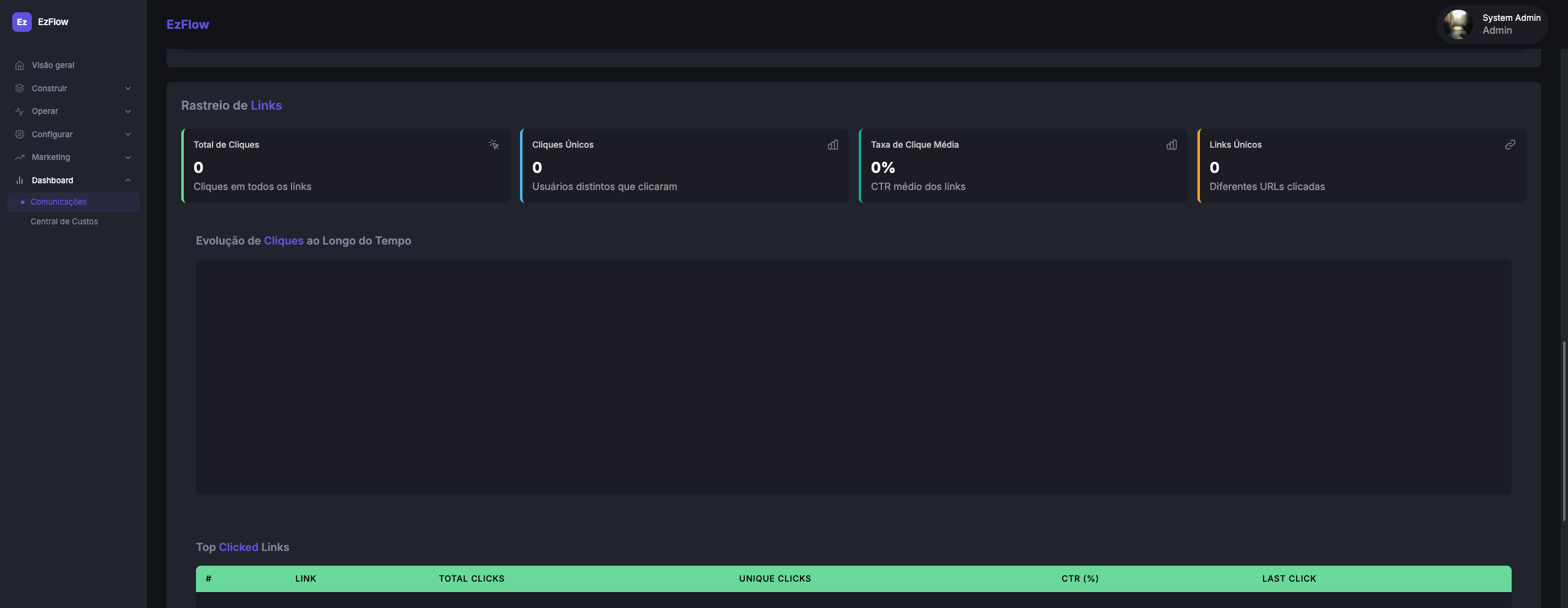
See delivery, reads, bounces and clicks across channels
Broadcast and flow analytics track sent, delivered, opened, clicked, bounced, failed and unsubscribed — with open, click and bounce rates, per-link tracking and contact-level broadcast history. Prove what landed, and fix what didn’t.
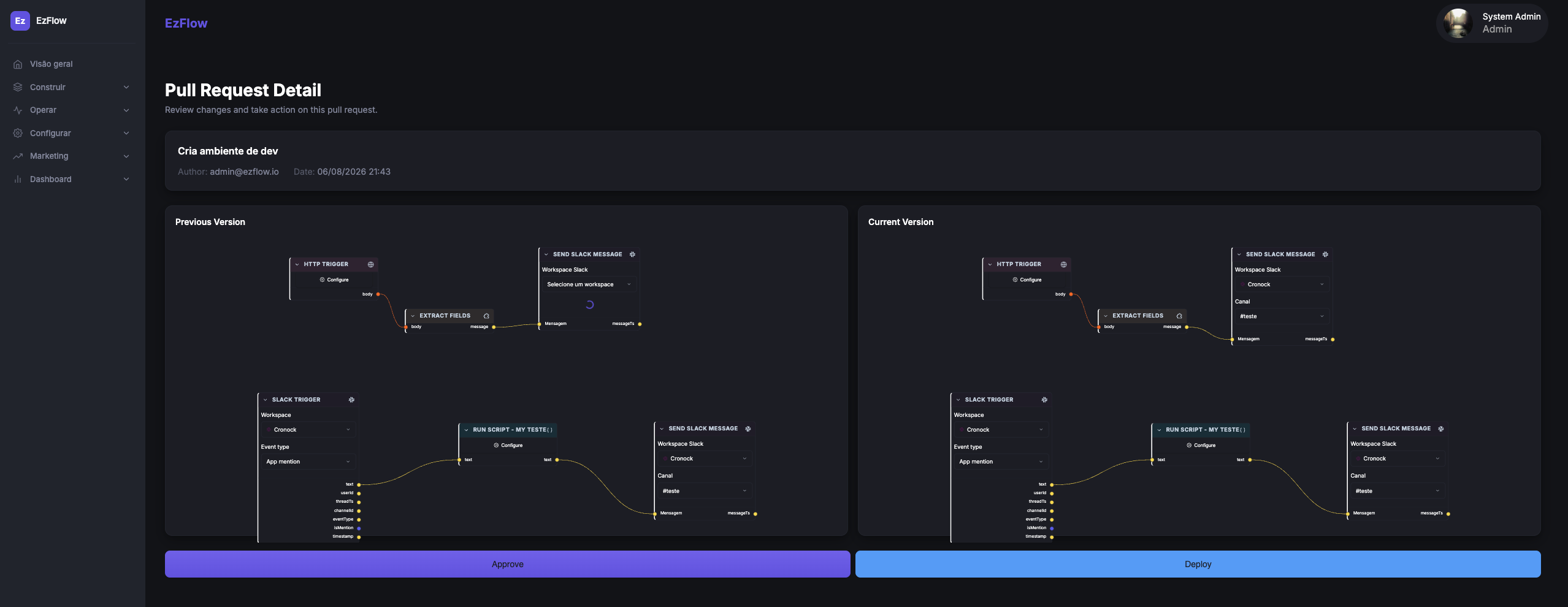
Version and review changes before they reach production
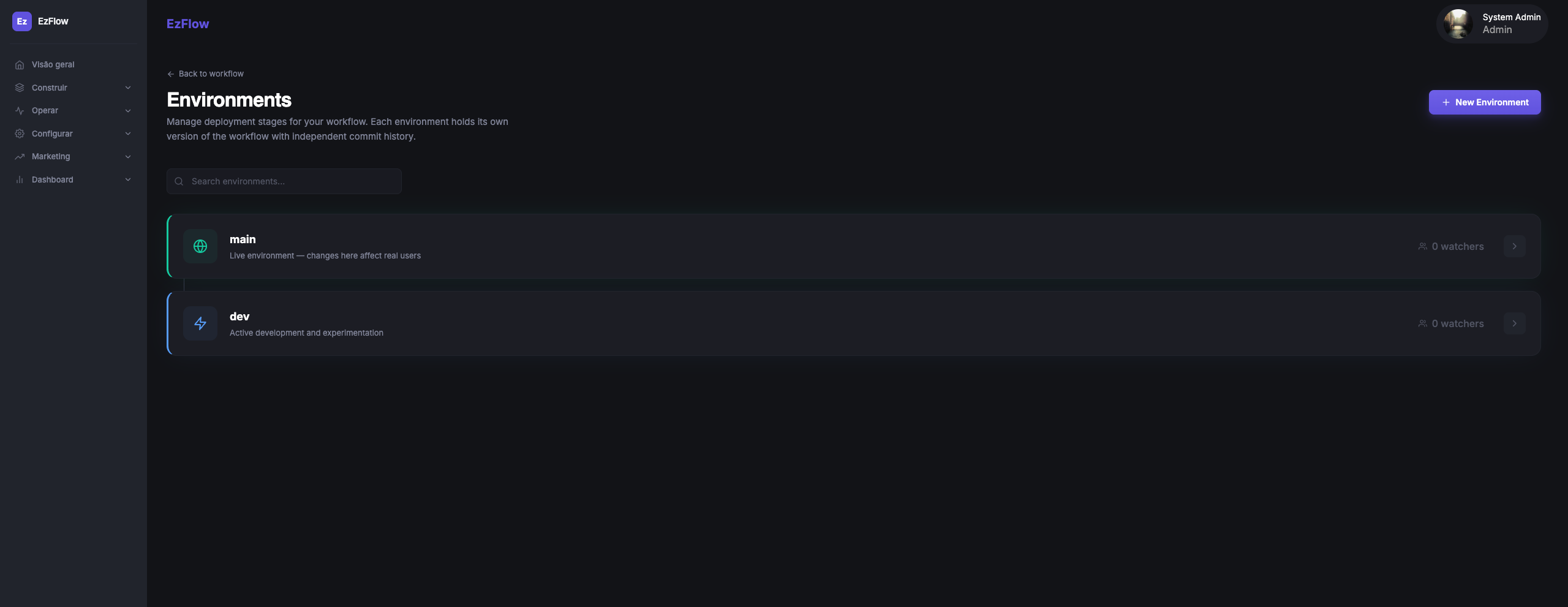
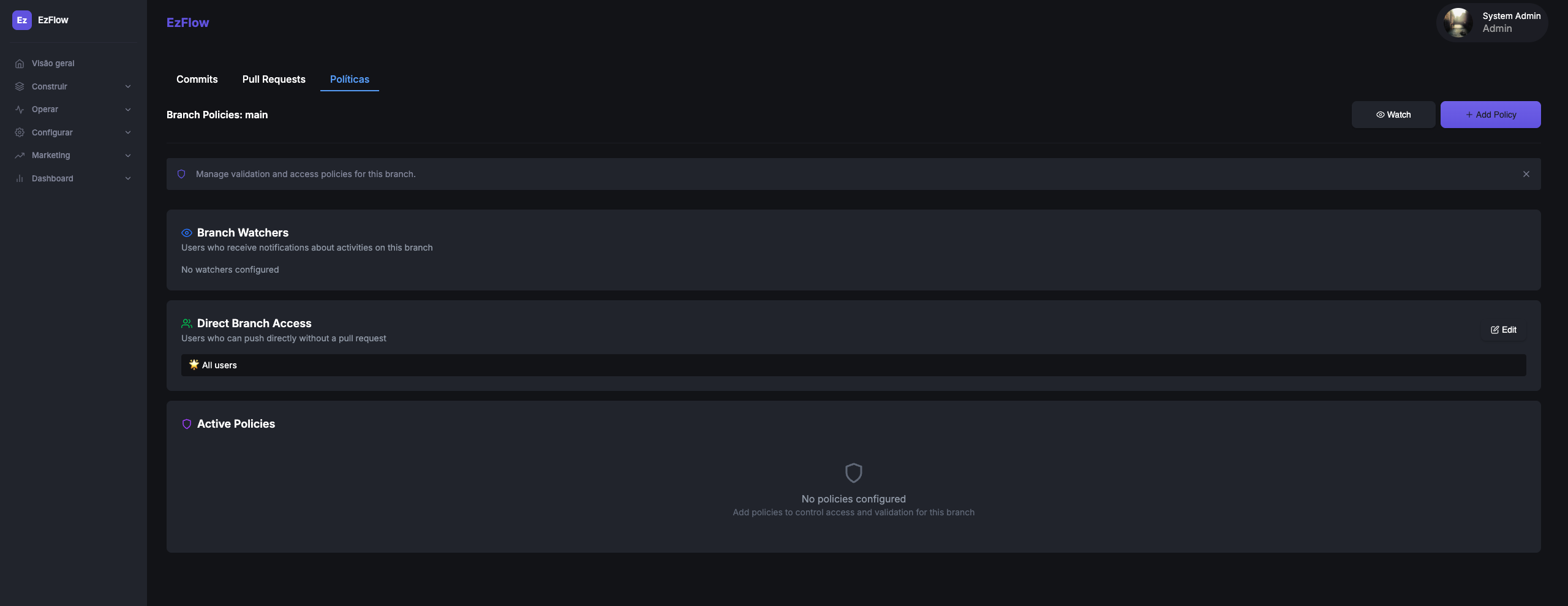
Processes that touch real customers shouldn’t change without a trace. Maintain branches, commits, workflow history and review trails for customer-facing processes, with separate environments so changes are visible and reversible.
Keep the tools that already work
Use EzFlows alongside your CRM, ERP, messaging provider and integration tools. No migration required.
Your CRM
Remains the customer system of record. EzFlows reads from it and writes back to it.
Your ERP
Remains the source of financial and operational data. Events and payloads flow into the process.
n8n, Make and Zapier
Can keep handling generic app-to-app integrations. EzFlows can be triggered by them over HTTP.
EzFlows
Coordinates the operational process across those systems — with rules, state and execution history.
Everything in the box
The operational layer between your systems, channels, rules and teams.
Visual workflow builder
Drag-and-drop canvas with 30+ step types and conditional logic.
WhatsApp & email
Message from inside the process; connect your own provider. SMS is being expanded.
Data transformations
Extract, map, merge and decompose payloads between systems.
Document generation
Fill templates and attach PDFs, invoices and contracts.
Reusable templates
Save flows and messages with dynamic variables.
Docs & notes
Block editor with a slash menu, nested pages and ⌘K search.
Execution logs
Run timelines, per-action payloads and outputs.
Versioning & reviews
Branches, commits and PR-style reviews before publish.
Environments
Separate dev and main, each with its own history.
Workspaces per client
Isolate flows, templates and runs by client or project.
Webhooks & API
Trigger over HTTP and receive inbound events.
Contacts, lists & segments
Organize your audience and target the right people.
Broadcasts
Send one-off email, SMS and WhatsApp campaigns.
Pipelines & boards
Kanban stages with cards, assignees, and cards driven from your flows.
Form builder
Drag-and-drop forms with 10+ field types that feed your pipelines.
Delivery analytics
Sent, delivered, read, bounced and per-link clicks.